Does Your App Do One Thing Great or Everything Badly? Here's How to Tell the Difference

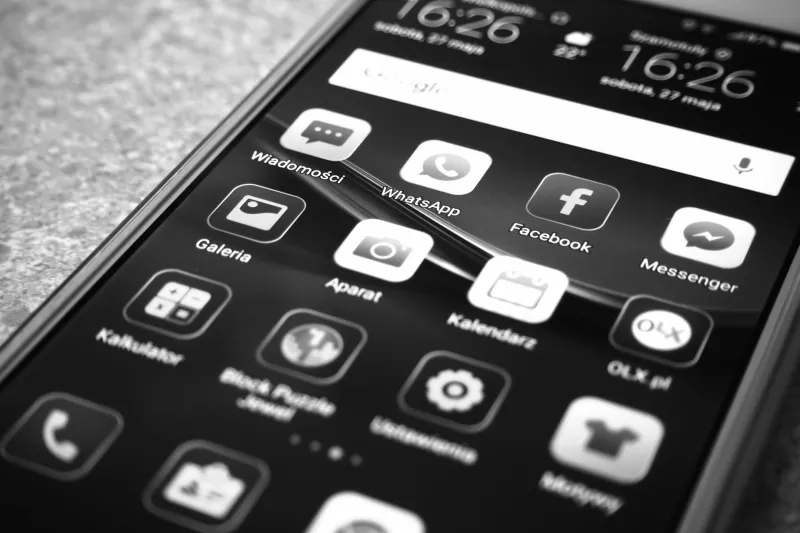
Photo by Photo by Jakub Żerdzicki on Unsplash on Unsplash
Pull up your home screen right now. Somewhere on it, you probably have both kinds of apps: the lean, focused tools built to do exactly one thing, and the big-tent platforms promising to handle your whole life from a single icon. Both types have passionate defenders. Both types have legitimate flaws. And depending on who you are and how you work, one of these philosophies is probably quietly making your digital life harder than it needs to be.
Let's break it down.
The Single-Purpose App: Small but Mighty
The single-purpose app is kind of the artisan coffee shop of the software world. It's not trying to be everything — it's trying to be really, really good at one specific thing. Dark Noise plays ambient sounds. Carrot Weather gives you the forecast with attitude. Strong tracks your gym lifts. That's it. That's the whole pitch.
And honestly? That pitch works.
When a developer's entire focus is on solving one problem well, the result is usually a more polished, more intuitive experience than you'd get from a feature inside a larger platform. The interface is cleaner because there's nothing competing for screen real estate. The updates are more meaningful because every improvement is directly tied to the core use case. And the learning curve is almost always shorter, because there's simply less to learn.
For users with specific, well-defined needs, single-purpose apps are hard to beat. If you just want a timer, you want a timer — not a timer buried inside a productivity suite that also wants to manage your projects, track your habits, and send you motivational quotes.
Where single-purpose apps shine:
- Tasks you do frequently and want to complete fast
- Creative or technical workflows where precision matters
- Situations where you want zero distractions from the primary function
- When you're willing to pay for quality and the developer's business model supports it
The All-in-One App: Convenience at a Cost
On the other side of the debate, you've got the Swiss Army knife apps. Notion. Todoist. Microsoft 365. Google Workspace. These platforms are betting that consolidation is the smarter play — that having your notes, tasks, calendar, and documents all living in one ecosystem is worth the trade-off in depth.
For a lot of users, that bet pays off. Context switching between apps has a real cognitive cost. Every time you jump from your notes app to your task manager to your calendar, you're burning a small amount of mental energy on navigation that could be going toward actual thinking. All-in-one platforms eliminate that friction, at least in theory.
The "in theory" part matters, though. Multi-function apps are only as good as their weakest feature. And when a platform tries to cover 12 different use cases, it's almost guaranteed that several of those features are going to feel underbaked compared to dedicated alternatives. Notion's calendar view is fine. It is not a calendar app. If scheduling is a core part of your workflow, "fine" might not cut it.
There's also the lock-in problem. The more of your life you pour into a single platform, the more painful it becomes to leave. That's not always a bad thing — consistency has real value — but it's worth being clear-eyed about the trade-off you're making.
Where all-in-one apps shine:
- When your tasks and projects are tightly interconnected
- Team environments where collaboration and shared context matter
- Users who want to minimize the number of subscriptions they're managing
- When the "good enough" version of multiple features beats juggling five separate apps
The Hidden Third Option: App Stacks
Most conversations about this topic treat it like a binary choice, but the smartest phone setups we've seen at MaybeApps don't fit neatly into either camp. They're intentional combinations — a curated stack of single-purpose tools that cover distinct needs, paired with one or two broader platforms for the stuff that genuinely benefits from integration.
Maybe you use Apple Notes for quick captures, Fantastical for your calendar, and Todoist for tasks. Three separate apps, but each one earns its spot because it's clearly the best tool for that specific job. That's not app bloat — that's a considered setup.
The key word is intentional. The problem isn't having multiple apps. It's having multiple apps that do the same thing, or having a sprawling all-in-one platform you're only using 20% of because it's technically capable of more.
Auditing Your Own Phone
Here's a quick way to figure out whether your current app lineup is working for you or against you.
Step 1: List every app you opened in the last two weeks. Both iOS and Android give you screen time data that makes this easy. Anything that didn't make the list is probably dead weight — single-purpose or otherwise.
Step 2: Flag your overlaps. Do you have two apps that handle notes? Two that track workouts? Two that manage your to-do list? Overlapping functionality is a sign that neither tool has fully won your trust. Pick one and actually commit to it.
Step 3: Identify your friction points. Where do you find yourself annoyed, confused, or skipping steps in your workflow? That's usually where the wrong app philosophy is in play. If you're annoyed at how buried a feature is inside a big platform, a focused alternative might serve you better. If you're annoyed at how many apps you have to touch to complete a single task, consolidation might be the answer.
Step 4: Check what you're actually paying for. Multi-function platforms often carry premium subscription prices because they're promising premium breadth. Make sure you're using enough of the platform to justify that cost. If you're paying $15 a month for Notion but only using it as a basic notes app, you're probably overpaying.
So Which Philosophy Wins?
Neither, really. The honest answer is that different people have different working styles, and the app philosophy that fits a freelance designer in Austin is probably not the same one that works for a project manager in Chicago running a team of 20.
What we'd push back on is the idea that more features automatically means more value, or that simplicity is always a virtue. Both assumptions lead people to the wrong tools.
The best apps — single-purpose or all-in-one — share one quality: they disappear into your routine. You stop thinking about them and start thinking about the work. Whether that comes from laser focus or comprehensive integration depends entirely on you.
Figure out which type of friction bothers you more — too many apps, or too many compromises — and let that guide your next download decision.