You're Probably Paying for Apps You Forgot Existed — Here's How to Find Out

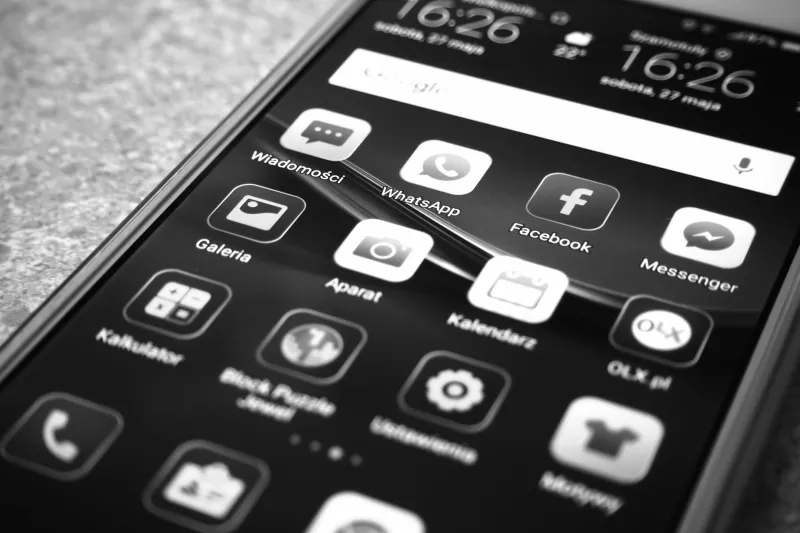
Photo by Photo by Vitaly Gariev on Unsplash on Unsplash
Here's a fun little experiment: open your bank or credit card statement right now and scroll through the last 30 days. Chances are, somewhere between your Netflix charge and your Spotify renewal, there's at least one line item that makes you go, wait, what's that?
You're not alone. According to a 2023 survey by C+R Research, the average American underestimates their monthly subscription spending by nearly $133. And a big chunk of that gap? App subscriptions — those $2.99, $6.99, and $9.99 charges that auto-renew so quietly you barely notice until you're doing your taxes.
The good news: auditing your app subscriptions doesn't require a finance degree or a weekend afternoon. It just requires knowing where to look.
The Sneaky Way App Subscriptions Stack Up
App developers have gotten really good at making subscriptions feel painless at sign-up. A free trial here, a "just $0.99 for the first month" offer there — and suddenly you've got six recurring charges running in the background like apps you forgot to close.
The most commonly forgotten culprits tend to follow a pattern: fitness apps downloaded in January (hi, New Year's resolutions), language learning apps started with great intentions, VPN services activated for one specific trip, and productivity tools grabbed during a "I'm going to get so organized" phase that lasted about two weeks.
None of these are bad apps, necessarily. But paying for something you're not using? That's just a bad deal.
iOS: Where to Find Every Subscription Apple Knows About
If you're on an iPhone, Apple actually makes this relatively straightforward — you just have to know where to dig.
- Open Settings and tap your name at the top.
- Tap Subscriptions.
- Brace yourself.
This screen shows every active subscription tied to your Apple ID, along with what you're paying and when it renews. Tap any entry to cancel or switch plans. The key thing to check here is the renewal date — if something renews in the next week or two and you haven't used it, now's the time to act.
One thing Apple's list won't catch: subscriptions you signed up for directly through an app's website (not through the App Store). Those bypass Apple entirely, which means they won't show up here.
Android: Google's Version of the Same Headache
On Android, your subscriptions live inside the Google Play Store:
- Open the Play Store app.
- Tap your profile picture in the top right.
- Go to Payments & subscriptions > Subscriptions.
Same idea as Apple — you'll see active subs, prices, and renewal dates. Cancel directly from this screen.
Again, anything you subscribed to outside of Google Play (through a browser, for example) won't appear here. Samsung users might also have a separate layer of subscriptions through Samsung's own ecosystem, so it's worth checking there too if you're on a Galaxy device.
Don't Forget: The Subscriptions That Hide in Plain Sight
Beyond Apple and Google's portals, there are a few other places recurring app charges like to lurk:
- Your credit card or bank app: Search transaction history for small recurring amounts. Many banks now flag subscriptions automatically.
- PayPal: If you ever paid for an app through PayPal, check Settings > Payments > Manage Automatic Payments.
- Email: Search your inbox for words like "receipt," "renewal," or "billing" — you'll unearth a graveyard of forgotten sign-ups fast.
Tools like Rocket Money (formerly Truebill) or Trim can also scan your financial accounts and surface subscriptions automatically. They're not perfect, but they're genuinely useful for getting a full picture without doing everything manually.
Actually Canceling (And What to Do If It's Annoying)
Some apps make canceling incredibly easy. Others seem to have hired someone specifically to make it difficult. If you're hitting a wall — hidden cancel buttons, confusing account portals, or a subscription that only cancels via email — here are a few moves:
Try the direct ask. Some developers will offer a discounted rate or a free pause if you reach out before canceling. It's not guaranteed, but for apps you actually like, it's worth a quick email or in-app chat. Framing it as "I'm thinking about canceling because the price is hard to justify" tends to get better responses than a blunt cancellation request.
Use Apple or Google as the intermediary. If you subscribed through the App Store or Play Store, you can cancel through those platforms directly without ever interacting with the app developer. This is the cleanest option if you just want it gone.
Dispute charges for services you genuinely forgot about. If you're staring at a charge for an app you haven't opened in over a year and there was no meaningful reminder email, your credit card company may side with you on a dispute. It's not a guaranteed win, but it's an option.
Building a Subscription Habit That Actually Works
The real fix isn't just a one-time audit — it's treating subscriptions like you treat app downloads: with a little more skepticism upfront.
A few habits that help:
- Set a calendar reminder for the day after any free trial ends. If you haven't used the app, cancel before you're charged.
- Do a quarterly subscription check — 15 minutes, four times a year, to review everything that's still running.
- Apply a simple rule: if you haven't opened an app in 30 days, it probably doesn't need your money.
The average American smartphone user has somewhere between 60 and 90 apps installed. Not all of them cost money, but the ones that do deserve at least a little scrutiny. Your future self — the one who isn't mysteriously short $40 every month — will appreciate the effort.