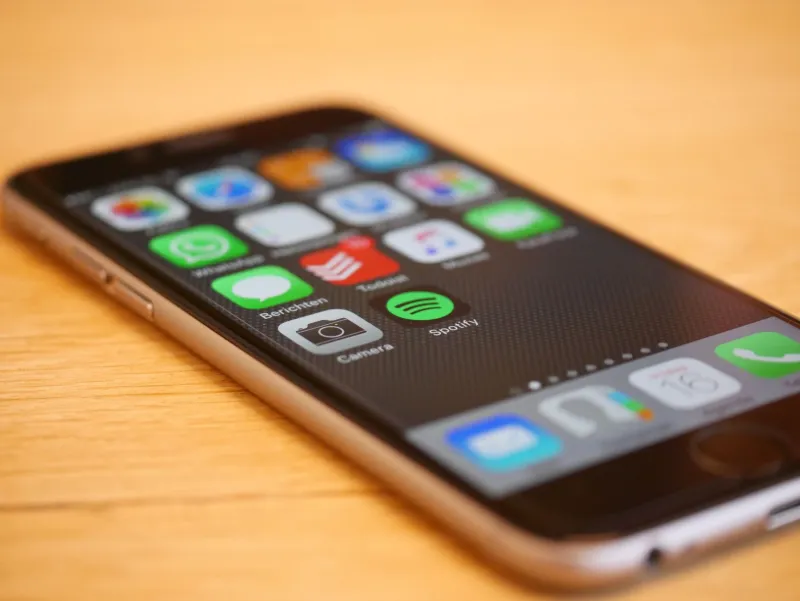
Deleted Doesn't Mean Done: The Case for Giving Your Old Apps a Second Shot

Photo by Photo by Mikhail Pushkarev on Unsplash on Unsplash
Your phone's trash pile is probably full of apps that deserved better. Not every app that got deleted was a bad app — plenty of them were decent tools that got axed during a cleanup binge, a storage panic, or just a bad Tuesday. The problem is that we rarely stop to ask why we deleted something before we hit that little X. And that snap judgment might be costing you.
Here at MaybeApps, we spend a lot of time thinking about what makes an app worth downloading. But lately, we've been equally curious about the flip side: what makes an app worth redownloading?
The Psychology of the Quick Delete
Deleting apps feels productive. It's one of those small digital rituals that gives you an immediate sense of control — a cleaner home screen, a little extra storage, a fresh start. The problem is that the same impulsiveness that drives us to download 14 apps in a weekend also drives us to nuke them just as fast.
Research on habit formation tells us that most new tools — digital or otherwise — take somewhere between three and eight weeks to become genuinely useful in someone's routine. But the average user gives a new app less than a week before abandoning it. That gap is where a lot of genuinely great software goes to die.
There's also a timing problem. You might have downloaded a budgeting app in January during a resolution-fueled moment of optimism, only to delete it by February because it "wasn't working." But was the app broken, or were you just not in a headspace to engage with your finances? Context matters more than we give it credit for.
The App Graveyard Audit
Before you can decide what's worth resurrecting, you need to actually look at what you've buried. Both iOS and Android keep records of your download history — Apple through the App Store's purchased tab, Google through the Play Store's library. Spend ten minutes scrolling through that list and you'll probably find a few names that make you pause.
When you hit one of those "oh, right" moments, ask yourself three questions:
1. Why did I actually delete this? Was it storage? A bad onboarding experience? Confusion about how to use it? Or did you just forget it existed? These are very different problems. Storage issues and confusion are fixable. Genuine disinterest is harder to overcome.
2. Has anything changed since then? Apps update constantly. A tool that felt clunky or limited 12 months ago might be a completely different product today. Check the update log before you dismiss it — if the developer has been shipping regular improvements, that's a signal worth paying attention to.
3. Does my life look different now? A meal planning app that felt pointless when you were single might be exactly what you need now that you're cooking for a family. A focus timer app that seemed unnecessary during a slow work period might be a lifesaver now that your calendar is packed. Apps don't exist in a vacuum — your circumstances shape whether they're useful.
Building a Proper Trial Period (That You'll Actually Stick To)
The biggest mistake people make when reinstalling an app is doing it the exact same way they did the first time. You download it, poke around for a few days, lose interest, and delete it again. Same outcome, different month.
A real trial period looks more intentional than that. Here's a framework that actually works:
Set a 30-day window — and put it on your calendar. Not as a reminder to use the app, but as a checkpoint. On day 30, you sit down and evaluate. Did it change anything? Did it save you time, money, stress? If you can't answer that question, you probably didn't give it enough runway.
Use it in context. If you're testing a workout app, use it before you're already exhausted from a long day. If you're trying a note-taking tool, use it when you actually have something to capture. Apps often fail not because they're bad but because we reach for them at the wrong moment and then blame the tool.
Turn off competing apps temporarily. If you're giving a new task manager a real shot, maybe pause the one you've been half-using for two years. Splitting your attention between similar tools guarantees neither one gets a fair evaluation.
Customize before you judge. Most apps ship with default settings designed for a generic user — not you specifically. Spend 15 minutes in the settings menu before you form an opinion. Notification preferences, display options, sync settings — these details can completely change how an app feels to live with.
Apps That Commonly Deserve a Second Look
Some categories are particularly prone to premature deletion, usually because they require a behavior change before the payoff becomes obvious.
Habit and routine trackers almost always get deleted too soon. The first week of logging anything feels tedious. The value shows up around week three or four, when you actually have data to look at.
Meditation and mindfulness apps suffer from a similar curve. If you downloaded Insight Timer or Calm and bounced after a few sessions, you weren't weird — most people do. But the users who stick with these tools for a full month consistently report that the experience shifts significantly once it stops feeling like homework.
Note-taking and writing apps are wildly underused because most people never set them up properly. Notion, Obsidian, Bear — these tools reward users who invest time in structuring them. If you deleted one of these after a confused first impression, it might be worth a second attempt with a YouTube tutorial open alongside it.
Maybe the App Wasn't the Problem
This is the uncomfortable truth sitting underneath all of this: sometimes we delete apps because the app is asking us to do something we're not ready to do. A financial tracking app isn't failing when it shows you an uncomfortable spending pattern — it's working exactly as designed. A sleep app isn't broken because you don't like what it says about your 5-hour nights.
Some of the most useful tools are the ones we resist the most. That's not a reason to force yourself to use something you genuinely hate. But it is a reason to pause before you delete and ask whether you're bailing on the app or bailing on the thing the app is trying to help you with.
Your app graveyard might just be a list of second chances waiting to happen. Worth a look.