Silence Is Golden: How Muting Your Apps Actually Makes Them Work Better for You
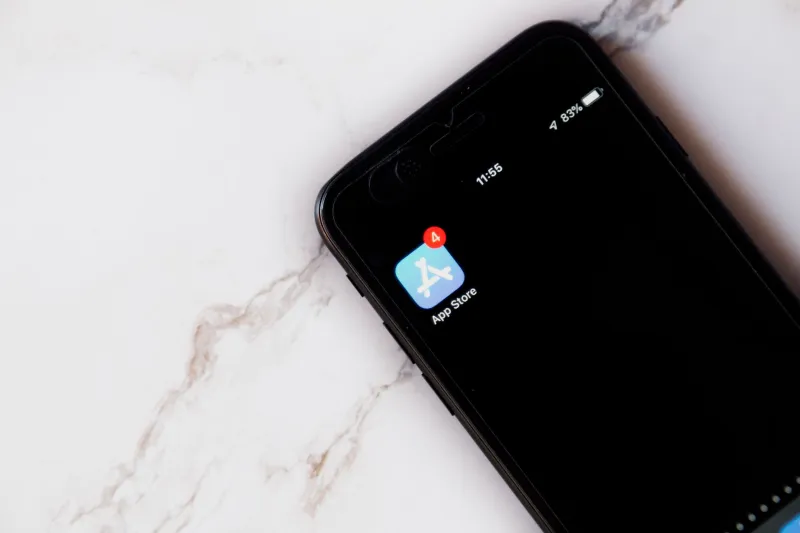
Somewhere along the way, app developers made a decision that changed how we interact with our phones forever. They figured out that if they could just keep nudging you — one ping here, one banner there — you'd come back more often. And coming back more often meant better engagement numbers, which meant better pitch decks, which meant more funding. The notification became less of a feature and more of a business strategy.
The result? Most of us are walking around with phones that buzz, chirp, and flash dozens of times a day, demanding attention for things that, honestly, could have waited. Or didn't need to reach us at all.
Here's the thing nobody really says out loud: a lot of apps get better the moment you turn their notifications off.
The Notification Problem Nobody Asked For
Think about the last time an app notification genuinely improved your day. Not just informed you of something — actually made your life easier or better in a meaningful way. For most people, that's a harder question to answer than it should be.
The average American smartphone user receives somewhere north of 45 push notifications per day. That's a conservative estimate. And while some of those — a text from a friend, a flight delay alert, a two-factor authentication code — are legitimately useful, a huge chunk of them are apps just trying to stay relevant in your mental real estate.
Shopping apps ping you about sales you didn't ask about. News apps alert you to stories that, while real, don't require your immediate attention. Social apps remind you that someone you barely know liked a photo you posted three weeks ago. Games guilt-trip you into coming back because your "crops are ready" or your "energy has refilled."
None of this is accidental. It's engineered.
What a Notification Audit Actually Looks Like
Doing a real audit of your notification settings doesn't take long, but it does require a little honesty. The goal isn't to silence everything — it's to figure out which alerts are actually serving you versus which ones are serving the app's retention metrics.
Here's a simple way to break it down by category:
Social Apps Start here, because this is usually where the damage is worst. Most social platforms have notification settings buried several menus deep for a reason — they don't want you to find them. Go looking anyway. On Instagram, for example, you can turn off notifications for likes, comments from people you don't follow, suggested posts, and live videos independently. Keep direct messages if you want. Kill everything else. You'll still use the app; you'll just use it on your terms.
Productivity Apps This category is trickier because the stakes feel higher. Calendar reminders? Keep those. Task due dates? Sure. But the "you haven't opened this app in three days" nudge from your note-taking tool? That's not productivity — that's guilt-tripping. Audit for alerts that actually move your work forward versus ones that just remind you the app exists.
News Apps Breaking news alerts are the slot machines of the notification world. They're designed to feel urgent, and they're very good at it. The reality is that most "breaking" news doesn't require you to read it the second it happens. Consider keeping only one trusted source with alerts on, and only for genuinely major events. Everything else can wait until you choose to open the app.
Shopping Apps Just turn them all off. Seriously. Every single one. Sale alerts, price drop notifications, "items left in your cart" reminders — these exist entirely to get you to spend money you weren't planning to spend. The app will still work perfectly when you open it intentionally. You're not missing anything.
Games and Entertainment If a game is trying to notify you that something happened inside the game while you weren't playing, that notification is not for you. It's for the game's daily active user numbers. Turn them off and notice how much more you enjoy the game when you play it because you want to, not because you felt summoned.
The Weird Paradox at the Heart of This
Here's what's kind of fascinating about all of this: the apps that most aggressively notify you are often the ones that become dramatically more enjoyable once you mute them.
Take a weather app. When it's pinging you every morning with a forecast you didn't ask for, it starts to feel like an obligation. When you open it because you're heading out and want to know if you need an umbrella, it feels genuinely useful. Same app. Completely different experience.
Or consider a news reader. Constant alerts turn it into a source of low-grade anxiety — you're always aware that there's more to catch up on, more you haven't read. Remove the alerts, and suddenly it becomes a tool you look forward to opening over morning coffee. The content didn't change. The relationship with it did.
This is the paradox developers don't love talking about: their notification strategies, designed to increase engagement, often create negative associations with the app itself. You start to resent it. You start to dread the little red badge. Eventually, you delete it — not because the app was bad, but because it wouldn't leave you alone.
How to Actually Do This on Your Phone
On iPhone, go to Settings > Notifications and scroll through every single app listed there. For each one, ask yourself: "Has this notification ever meaningfully helped me?" If the answer is no or you can't remember, turn it off. You can always turn it back on later.
On Android, go to Settings > Apps, select an app, and tap Notifications to see a breakdown of what that app is allowed to send you. Many apps have multiple notification channels, which means you can get granular — keeping the stuff that matters and cutting the noise.
Set aside maybe 20 minutes for this. Do it once. You will not regret it.
The Takeaway
We spend a lot of time asking whether an app is worth downloading. Maybe the better question is whether the version of that app with all its default settings cranked up is actually the version worth using.
More often than not, the answer is no. The best version of most apps is the quiet one — the one that's there when you need it and stays out of your way when you don't. Getting there just requires a little deliberate tinkering.
Your phone should work for you. Not the other way around. And sometimes the most powerful thing you can do to make that happen is just hit mute.