Buried Treasure or Dead Weight? How to Decide Which Forgotten Apps Deserve a Second Life
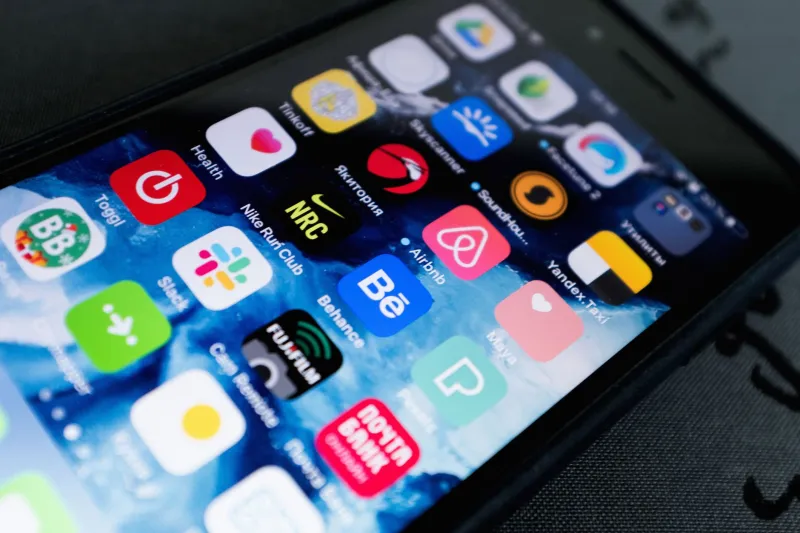
Scroll far enough back through your app library and you'll find them — the ghosts. That meditation app you downloaded after a stressful Tuesday in February. The budgeting tool someone mentioned in a podcast. The language-learning app that was supposed to make you conversational in Spanish before your Cancún trip (it did not). They're all still there, taking up space, silently judging you.
You're not alone in this. Research consistently shows that a massive chunk of downloaded apps get used exactly once — or never at all. But here's the thing: not every abandoned app is a lost cause. Some of them are genuinely worth dusting off. Others should have been deleted the same week you downloaded them. The trick is knowing which is which.
Why We Ghost Our Own Apps
Before we talk about what to do with your digital pile, it helps to understand why it exists in the first place.
A lot of app downloads happen in what you might call aspirational mode. You're feeling motivated, inspired, or just a little bored, and an app seems like the answer to a problem you haven't fully committed to solving yet. You download it, poke around for ten minutes, and then real life shows up and the app disappears into page four of your home screen.
Sometimes the issue is friction — the app required too much setup, demanded a login, or immediately hit you with a paywall. Other times, the timing just wasn't right. You downloaded a workout tracker in January, burned out by March, and never went back even when your motivation returned.
And sometimes, honestly, the app just wasn't good enough to earn a permanent spot. That's fine too.
The 60-Second Audit Method
Here's a quick framework for going through your app library without spending an entire Saturday afternoon on it.
First, open the app. Not metaphorically — literally tap it and let it load. Your gut reaction in the first ten seconds tells you a lot. Does it feel familiar? Do you immediately remember why you wanted it? Or does it feel like opening a stranger's front door?
If it feels familiar, that's a signal worth paying attention to. It means the app made some kind of impression. Ask yourself: what changed since you stopped using it? If the answer is "nothing, I just got lazy," that's a resurrection candidate. If the answer is "my whole situation is different now," it might be time to let go.
For each app, run through these three questions:
- Does this solve a problem I actually have right now? Not a problem you had in February, not a problem you might have someday — a current, real one.
- Is there a specific moment in my week where I'd realistically use this? Vague intentions don't stick. A Tuesday morning slot for a news briefing app does.
- Would I download this today if I didn't already have it? This one cuts through nostalgia fast.
If you get two or more "yes" answers, the app earns a probationary spot. One or fewer, and it's probably time to delete.
Apps That Have Genuine Comeback Potential
Some app categories are surprisingly good candidates for resurrection because people's lives and habits change.
Fitness and health apps are a big one. If you downloaded a running tracker last year and then stopped running, but you've recently started again, that app is probably still perfectly functional and ready to go. No need to start over with something new.
Finance and budgeting tools often get abandoned after initial setup because they require consistency to be useful. But if you've got a financial goal on the horizon — paying off debt, saving for a car, building an emergency fund — revisiting one of these could genuinely help. The setup work you already did is still there.
Note-taking and organization apps are worth a second look if your current system isn't working. A lot of people cycle through these periodically as their needs evolve, and an app that felt like overkill a year ago might fit perfectly now.
Language apps deserve special mention. Apps like Duolingo or Babbel are specifically designed to welcome you back after a break. They're built for inconsistent users. If there's any app category where a comeback is easy, it's this one.
When Comeback Potential Is Genuinely Zero
Not every app deserves another chance, and it's worth being honest about that.
If an app was tied to a one-time event — a conference, a trip, a short-term project — it's done. Delete it.
If the app hasn't been updated in a long time and looks visually dated or runs poorly on your current phone, the developer has probably moved on. You should too.
If you've given an app multiple chances across different "fresh start" moments and it never stuck, that's data. Some tools just don't fit the way your brain works, and no amount of motivation is going to change that. There's no shame in it.
Also worth checking: does the app still exist in a meaningful way? Some apps technically still function but are essentially in maintenance mode — no new features, minimal support, a dev team that's moved on. Using a stagnant tool means you're building habits around something that might disappear without warning.
Making a Rescued App Actually Stick
So you've identified a few apps worth bringing back. How do you avoid the same abandonment cycle?
The single most effective strategy is context anchoring — connecting the app to something you already do. Don't just vaguely decide to "use the budgeting app more." Decide that every Sunday night, when you're winding down, you'll spend five minutes logging the week's spending. The existing routine carries the new habit.
Notifications can help, but only if you set them up intentionally. A generic daily reminder is easy to ignore. A specific prompt — "Hey, you've got a goal check-in" at a time you're typically free — is harder to dismiss.
Also, lower the bar for what counts as "using" the app. If your meditation app counts a two-minute session, that's two minutes more than zero. Perfectionism kills more app habits than laziness ever did.
The Bottom Line
Your app library is basically a record of every version of yourself that thought, "yeah, I could be the kind of person who does this." Some of those versions were onto something. Others were just optimistic on a random Tuesday.
The goal isn't to use every app you've ever downloaded. It's to occasionally check in on what's sitting in your phone's back catalog and make intentional choices about it — because a few of those dusty downloads might actually be exactly what you need right now. And the rest? Let them go. Your home screen will thank you.